How to Write a Perfect Software Requirement Document (With Template)
SRS is one of the most important documents in the entire software development lifecycle. It acts like a blueprint, comprising a detailed description of the functionality of the software system, how it will interact with users, and what the requirements are. This document keeps developers, stakeholders, and users aligned regarding the project’s scope, features, and constraints.
Apart from its role in guiding development and testing, the SRS is important for managing risk and establishing realistic expectations. Clear documentation of the functional and non-functional requirements of the system can uncover potential risks related to performance bottlenecks, security vulnerabilities, and integration challenges early on. This enables the development team to plan mitigation strategies and allocate resources effectively. Furthermore, the SRS helps set realistic timelines and budgets by providing a concrete understanding of the project’s scope and complexity, ultimately fostering a smoother and more predictable development process.
Introduction
One of the most important documents in software development is the Software Requirements Specification, SRS. It serves as a guide throughout the development process, ensuring that software can be developed to achieve the agreed requirements and objectives. Without an SRS, developers may end up building software that does not meet the client’s needs; this could lead to costly revisions and delays.
Purpose of an SRS
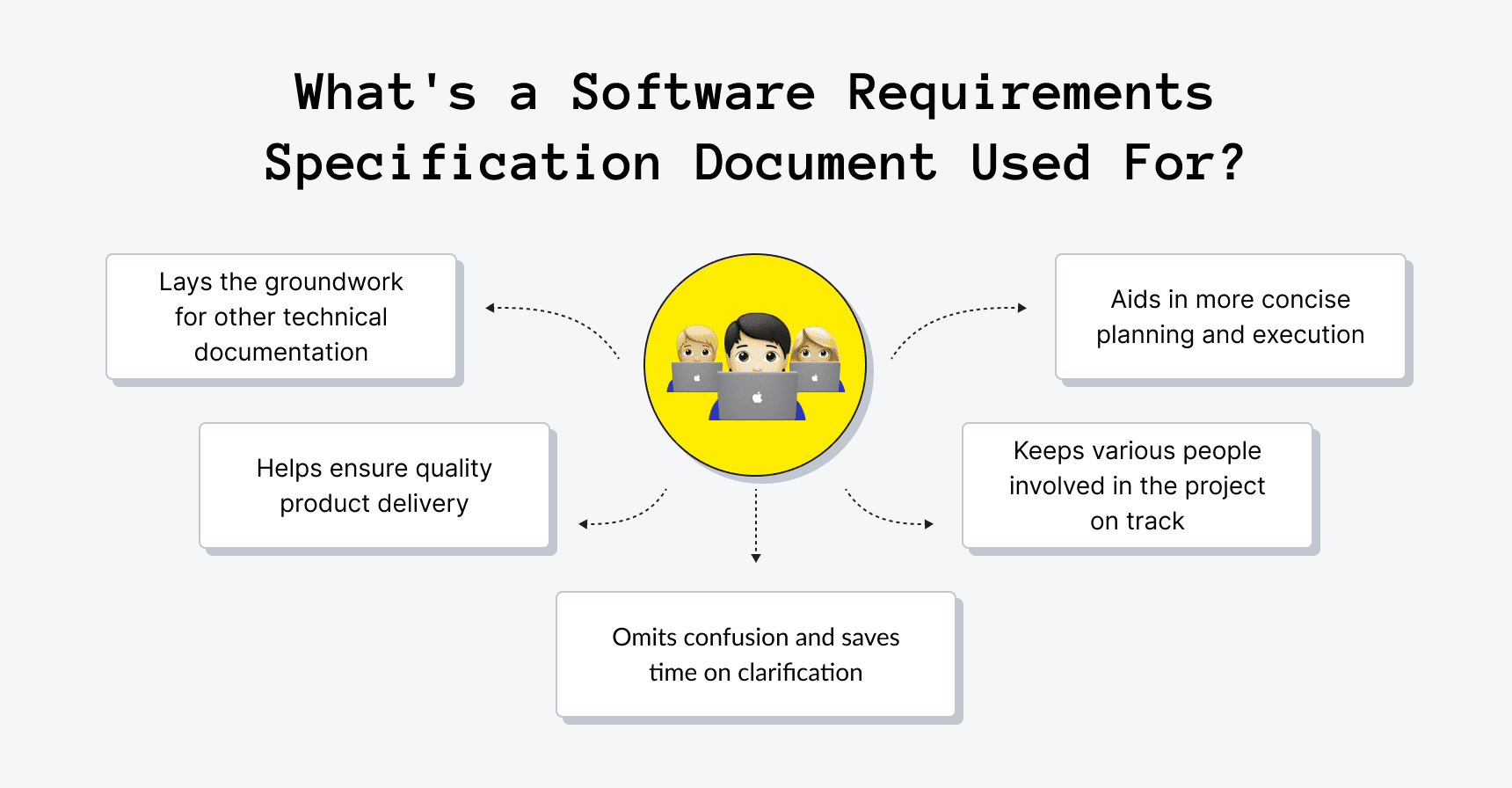
The main purpose of the SRS is to ensure there is effective communication between stakeholders, developers, and users. It serves as a guide throughout the SDLC, starting from the concept to the finished product. With an SRS, there is hardly any room for misunderstanding because it outlines expectations, features, and design criteria in detail.
Why Writing a Perfect SRS is Important:
- Clear Scope: It sets the boundaries for what will be built, helping to avoid feature creep during development.
- Prevents Misunderstanding: It reduces the risk of misinterpretation between clients and developers, since both are on the same page.
- Reference Point: The development teams should refer to the SRS during the development process to stay on target.
- Quality Assurance: Testing and quality checks can be based on this, as the system can be validated against the requirements.
- Cost-effective: Clearly defining requirements at the outset should save you time and eliminate costly mistakes during development.
Key Components of an SRS
Writing a comprehensive SRS document requires attention to detail and an understanding of the key components that make up the document. The essential elements of a standard SRS are listed below.
Functional Requirements
Core features and capabilities that must be provided by the software. They define what is to be done from the user’s perspective, what the system will do. If you build an e-commerce platform, functional requirements may include:
- User registration and login functionality.
- The ability for users to browse products.
- The capability of adding products to the shopping cart and proceeding to checkout.
Functional requirements can be written as:
Login functionality: The system should provide full login functionality for users, where a user can log in using their email, username, and password.
User account creation: Users must provide their email, create a password, and fill in their personal details to create an account.
Non-Functional Requirements
Non-functional requirements are equally important as functional requirements. They are focused on how the system performs rather than on what it does. Non-functional requirements normally deal with the following:
Performance: This can involve the response times of a system, load handling, and its scalability. Example: The system should support up to 10,000 simultaneous users without any decrease in system performance.
Security: The requirements outline the level of security the system should possess, such as encryption of sensitive data and user authentication protocols.
Usability: This refers to how the system should be easy and intuitive for the end-user to use.
Reliability: The software should be reliable, without errors, and not experience much downtime.
System Interfaces
Here, you will outline how your software product will interact with external systems, databases, and APIs. System interfaces describe how the software will interface with
- External APIs: If your system consumes third-party services, such as a payment gateway or social media integration, that should be mentioned here.
- Databases: Describe the database systems that will be used and how the system interacts with them.
- Other Integrations: If the product is integrated into a larger ecosystem, such as a CRM system, document management system, or ERP system, describe those integrations.
User Requirements
User requirements describe what a user needs from the system, including how the user will interact with the system. Examples of this may include:
- User Roles: Describe the roles that exist within the system, such as admin, user, and guest.
- Accessibility Requirements: If your system is intended to be accessible to users with disabilities, then outline the screen reader support, keyboard navigation, and other requirements here.
Constraints
Constraints refer to limitations or restrictions that will shape how the software is developed. Common examples include:
- Budget: This refers to the total amount of money available for the project.
- Timeframe: The time frame of the project and any key milestones or timelines.
- Technology Stack: List any limitations on programming languages, platforms, or tools to be used during the project.
- Compliance: Any legal or regulatory standards with which it must comply (example: GDPR, HIPAA).
Assumptions and Dependencies
Every project is based on some assumptions and may be dependent on certain external factors. Examples include:
- Assumptions: The system assumes users have access to the internet and a modern web browser.
- Dependencies: The code relies on third-party libraries or services such as an external payment processor.
How to Write an SRS
Now that we’ve discussed the components of an SRS, let’s look at how one would write it.
Step 1: Collect Requirements
Get detailed requirements from all stakeholders, including clients, project managers, and developers, before starting the actual writing. Use interviews, questionnaires, or workshops to capture all information.
Step 2: Structuring the Document
The SRS document should be well-organized. Divide it into clearly labeled sections so that readers can easily locate the information needed. Use headings and subheadings to describe your content logically.
Step 3: Use Clear, Concise Language
Avoid ambiguous phrasing or terms that are not familiar to stakeholders. Instead, use clear, concise language with which all parties understand the requirements. For instance, instead of stating, “The system should load quickly”, one can say, “The system should load within 3 seconds”.
Step 4: Incorporate Visual Aids
Diagrams, flowcharts, and wireframes can portray complex requirements in a far simpler way. If applicable, include a user flow diagram that shows how a user interacts with the system.
Step 5: Engage Stakeholders in the Review Process
After drafting the SRS, review it with all stakeholders to ensure that the requirements are accurately captured and there are no misunderstandings. Incorporate feedback and make necessary revisions.
Best Practices for Writing an SRS
Writing a perfect SRS involves consideration of the following best practices:
Consistency: Apply consistent terminology and formatting throughout the document.
Be Realistic: The requirements must be feasible within the available time, budget, and other resources.
Avoid Over-Specifying: There is no need for any extra technical detail that could reduce flexibility.
Include Traceability: Every requirement must be traceable to its source, such as user needs, business objectives, or regulatory norms.
Software Requirement Specification Template
A template can help you structure the document. Here’s a sample SRS template that you can use:
- Introduction
- Purpose
- Scope of the System
- Definitions, Acronyms, and Abbreviations
- Functional Requirements
- User Stories
- Detailed Features
- Non-Functional Requirements
- Performance
- Security
- Reliability
- System Interfaces
- External Systems
- API Requirements
- User Requirements
- User Roles
- Permissions
- Constraints
- Hardware
- Software Limitations
- Assumptions and Dependencies
- Any assumption about the environment and third-party dependencies.
Conclusion
A well-written SRS is important to the success of any software development project. This document serves as a guide throughout the SDLC and helps developers and stakeholders stay on the same page regarding project scope, features, and objectives. The perfect SRS will require clear, organized documentation, active stakeholder participation, and adherence to best practices. It will ensure timely and within-budget completion of the project by providing an in-depth roadmap for development, testing, and deployment, thereby meeting the agreed-upon requirements. It also controls changes, ensures communication, and provides quality assurance throughout the software’s lifecycle. An SRS reduces risks, maintains consistency, and eventually helps attain a successful and reliable software product.
Frequently Asked Questions (FAQs)
A Software Requirements Specification (SRS) is a detailed document that defines the functional and non-functional requirements for a software project. It outlines the software’s features, capabilities, and constraints, ensuring that developers, stakeholders, and users have a clear understanding of what the software will do and how it will meet business objectives. The SRS serves as a blueprint for development, testing, and future enhancements, ensuring the project is delivered on time and meets all the requirements.
An SRS is important in software development because it sets clear expectations for both the development team and stakeholders. It acts as a reference document throughout the entire project lifecycle, from design to deployment, ensuring that everyone is aligned on the system’s features and functionality. By documenting requirements upfront, an SRS reduces the risk of miscommunication, scope changes, and costly errors, while also facilitating proper testing, risk management, and project planning.
To write an SRS, start by gathering detailed requirements from stakeholders, including clients, users, and developers. Use clear, precise language and organize the document into well-defined sections, such as functional requirements, non-functional requirements, system interfaces, and user requirements. Ensure each requirement is specific, measurable, and traceable. Collaborate with stakeholders throughout the process to ensure accuracy and completeness of the information. Additionally, use diagrams or flowcharts to illustrate complex concepts and provide visual clarity. Finally, review and validate the SRS with all parties to ensure alignment and avoid misunderstandings.